Search by Keywords | Ink Cartridge Model

We use cookies to personalize content and ads, provide social media features, and analyze our traffic. By clicking Privacy Policy.
Please contact us for more information
We use cookies to personalize content and ads, provide social media features, and analyze our traffic. By clicking Privacy Policy.
Please contact us for more information
Share this article to your friends
TIJ Specification Selection Guide: How to Choose Print Height, DPI and Cartridge Size
Highlights
Same production line, same coding equipment — switch to a different cartridge and the barcode suddenly will not scan. When industrial coding equipment suddenly fails to scan barcodes after a cartridge change on the production line, the issue may stem from system-level parameter mismatches rather than defective TIJ ink.
Print height, resolution, substrate and equipment settings all affect print quality. If one of them is mismatched, barcode readability can suffer. Ink wetting, spreading and drying also matter, but ink is only one part of the system.
Ink wetting, spread and drying behaviour certainly affect the result, but ink is one variable among several, not the only suspect.
This TIJ specification guide explains the selection order for industrial printing parameters—including print height, resolution, and ink formulation—during early-stage equipment procurement. Each section links out to a more detailed article, so you can go deeper wherever you need to.
Three Core Factors for TIJ Specification Selection
Early in the sourcing process, three specifications should be confirmed first: required print height, target resolution (DPI), and the cartridge size and ink combination available for the application.
1.Print Height
The maximum vertical area a single printhead can cover in one pass, mainly determined by the physical height of the nozzle array. Work it out from your content layout rather than from an equipment datasheet, and check the figure against the effective print area published by the supplier.
2.Resolution (DPI)
The number of printed dots per inch, which affects character-edge definition and barcode module formation. Plain text marking is relatively forgiving on DPI, but the moment barcodes or 2D codes are involved this factor carries far more weight.
3.Cartridge Size and Ink Type
The cartridge format determines the available print height, while the ink formulation must match the substrate and the required adhesion, drying and durability performance. Because the substrate usually fixes the ink type first, this factor often ends up constraining the other two.
Why These Three Must Be Confirmed Together
They are interdependent decisions rather than separate ones. Cartridge design determines nozzle-array height and nozzle density, while ink formulation affects substrate compatibility, adhesion and drying performance, so they have to be evaluated together.
They are also a starting baseline rather than the full specification. Substrate type, conveyor speed, throw distance and printer compatibility all change which combination is practical: the substrate may determine the ink type, while the target line speed may limit the usable transport-direction resolution. Line speed is the clearest example — on the same printing system, the maximum usable line speed generally drops at higher transport-direction resolution settings, so DPI has to be confirmed together with your target line speed. Reducing selection to "pick a height, pick a DPI" is a common reason for repeated trial runs later.
How TIJ Cartridge-Based Systems Work
TIJ (Thermal Inkjet, also known as Thermal Bubble Inkjet) forms droplets by using a heating element to create a vapour bubble in the ink, which pushes a droplet out of the nozzle. It is one form of Drop-on-Demand printing. If you are not yet familiar with the underlying principle, see What Is TIJ Thermal Inkjet Printing? A Complete Beginner's Guide.
In a typical TIJ 2.5 cartridge-based system, the printhead and ink supply are integrated into a single replaceable cartridge, so replacing the cartridge also replaces the printhead. Note that this selection logic mainly applies to cartridge-based TIJ systems: some high-volume TIJ platforms use a bulk ink architecture in which the printhead and ink delivery system are separate, and their selection criteria differ.
How Do You Choose Print Height?
The right order is: confirm what you need to print and how many lines it occupies, then work backwards to the millimetres required. Starting from equipment specifications instead tends to produce a machine whose height falls just short.
There is no universal recommended character height. It depends on viewing distance, font, and customer or regulatory requirements.
Maximum print height is not the same as minimum character height. A half-inch Uniplus solvent cartridge provides up to 12.7 mm (0.5") of single-pass print height, while the minimum character size depends on the controller and font settings.
For 1D barcodes, allow sufficient vertical space so scanners can capture a complete scan line.
Use the equipment supplier's effective print area, not only the nominal printhead height. Also leave some margin for future fields such as batch numbers, country of origin or traceability codes.
For the practical coverage of each print height class and the mistakes that most often occur, see Maximum TIJ Print Height: Key Specifications to Know Before Selection.
TIJ Cartridges: Half-Inch Versus One-Inch
The most direct difference is nozzle array height: half-inch (0.5") corresponds to 12.7 mm and one-inch (1") to 25.4 mm, following directly from the inch conversion.
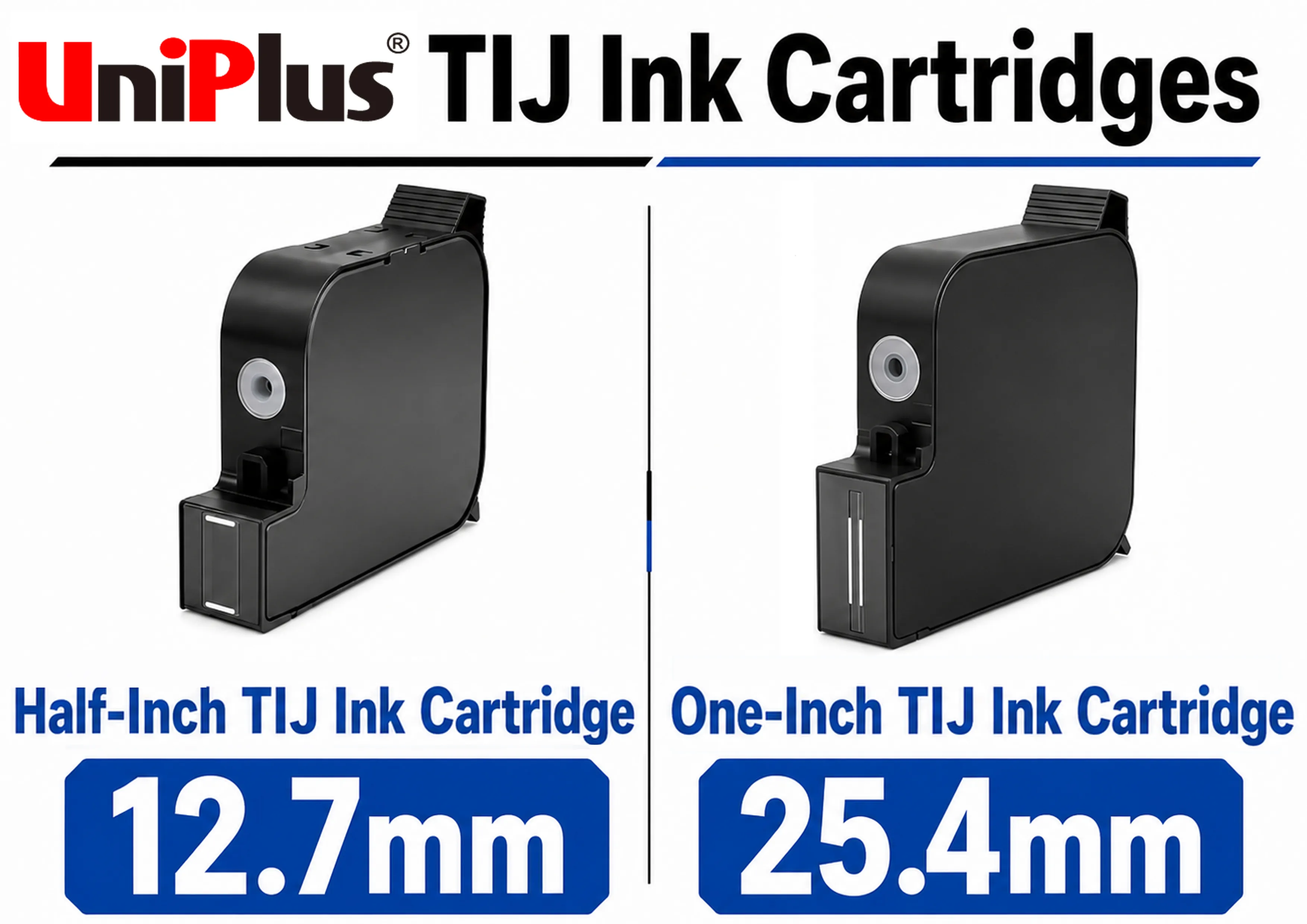
For the current Uniplus product line, the one-inch cartridge is an independent one-inch industrial specification — not a drop-in replacement for half-inch HP 45 / 2580 / 2590 cartridges. Using a one-inch cartridge requires equipment that supports a one-inch printhead, or a corresponding mechanical and control retrofit. The half-inch specification can be used with a range of existing TIJ 2.5 half-inch systems, though compatibility still has to be confirmed against the specific model and chip conditions. These are two separate product lines addressing different equipment conditions.
On capacity, taking the current Uniplus solvent products as the example: the half-inch cartridge holds 42 ml and the one-inch cartridge 60 ml. However, greater capacity does not automatically mean a longer replacement interval. Actual yield depends on print coverage, character height, resolution, printed content, and the ink consumed during servicing and purging. If the one-inch cartridge is also being used to print larger characters or graphics, consumption per unit time rises accordingly. Any operating-cost comparison needs test data taken under your actual printing conditions.
For how the internal construction of a cartridge produces these differences, see What's Inside a TIJ Ink Cartridge? A Complete Guide to the Print Head, Chip, and Ink.
Solutions When Print Height Is Insufficient
When a single printhead cannot cover the required height, the usual solution is multi-head vertical stitching: two or more printheads are stacked vertically, and the controller splits the content between them to form a complete print area. With half-inch printheads, two stitched heads extend coverage to approximately 25.4 mm.
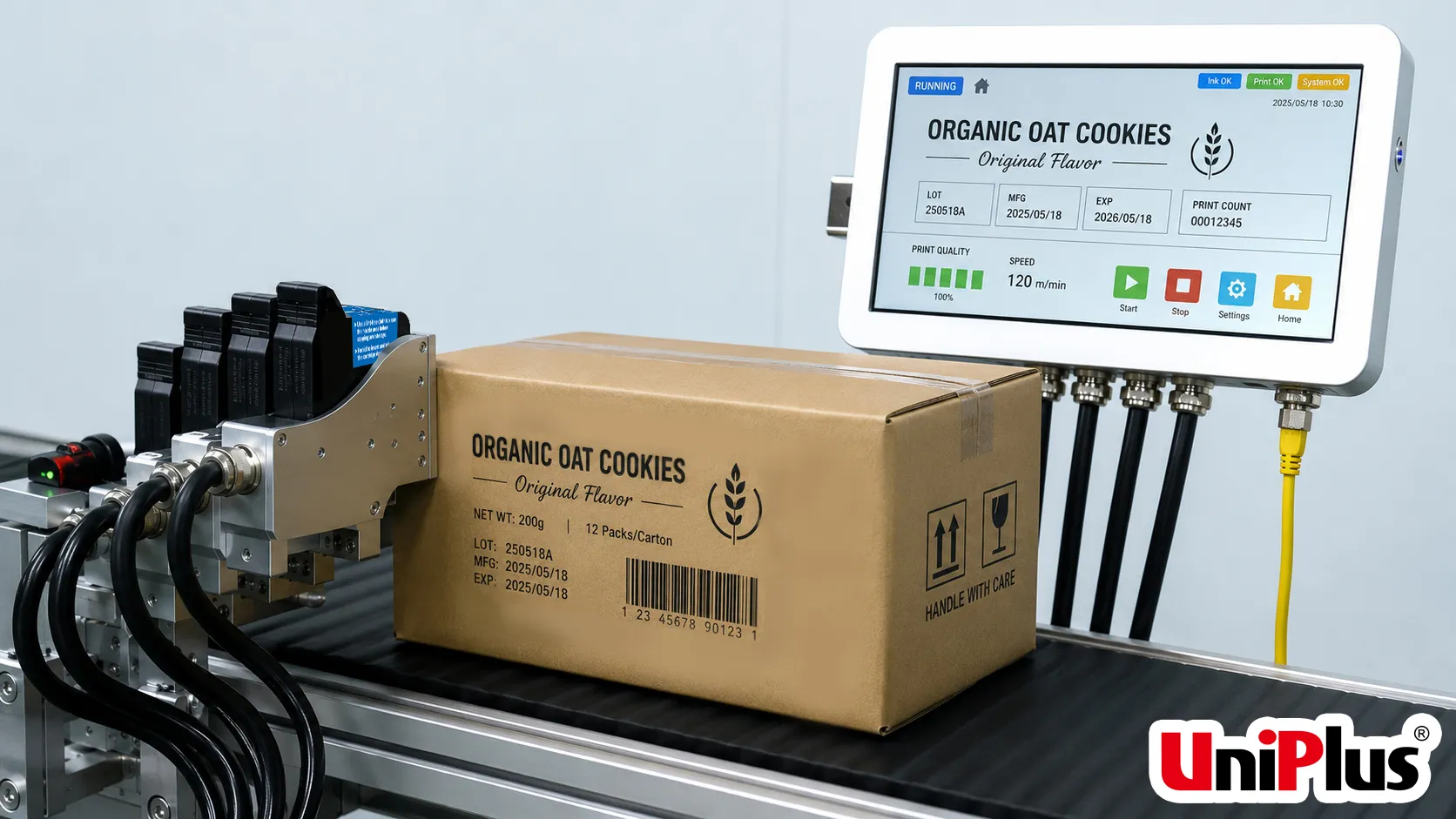
The approach works, but it is not free. Several conditions apply in practice:
Not all wide-format coding requires stitching. The 108 mm wide-array printhead solution HP introduced in 2024 is specifically positioned as wide-swath printing without stitching, though it uses a bulk ink architecture and represents a different equipment investment model from cartridge-based systems.
DPI Resolution and Barcode Readability
The short answer: plain text marking is relatively forgiving on DPI, but as soon as you print barcodes or 2D codes, resolution becomes decisive.
DPI (dots per inch) is the number of printed dots per inch. Many TIJ 2.5 cartridges and industrial coding systems provide output up to 600 DPI — the Uniplus UP45 series product specification lists up to 600 DPI. At 600 DPI, the nominal spacing between adjacent dots works out to roughly 0.042 mm (25.4 ÷ 600), and that figure sets the finest step achievable at character edges and barcode module boundaries.
Two aspects of a nominal DPI figure are commonly misread:
The critical dimension for a barcode is the X-dimension — the width of the narrowest bar or smallest module. The smaller the X-dimension, the higher the demand on resolution. When a single module is only a few printed dots wide, module boundaries are prone to stepping or ink spread, and scan decoding can fall into a grey area. GS1 General Specifications defines X-dimension, symbol size and minimum quality grade requirements for different application environments, so confirming which specification your downstream customer follows saves considerable rework later.
When Uniplus helps customers evaluate a setup, we generally suggest putting "barcode specification" ahead of "DPI figure" on the confirmation list. The reason is that the same resolution setting produces very different module boundary behaviour on glossy PET than on corrugated board. Establish the X-dimension requirement and the substrate first, then return to resolution and ink pairing — that is what produces a verifiable result.
How Throw Distance Affects Print Quality
Throw distance is the vertical gap between the nozzle plate and the substrate surface. Excessive distance reduces control over droplet placement and affects image sharpness; insufficient distance increases the risk of contact between substrate and printhead, which can cause smearing or printhead damage. Throw distance is therefore one of the significant mechanical conditions affecting print quality.
The key point is this: recommended working distance is determined jointly by the printhead platform, the ink and the equipment configuration — it is not a single rule that applies across all of TIJ. Acceptable working distance can differ between TIJ platforms; HP's 108 mm TIJ 4.0 wide-array solution, for instance, is officially specified with a throw distance of up to 10 mm. A working distance from one platform cannot simply be transferred to another TIJ system, and doing so is a common selection error.
The practical approach is to set the distance according to the specification provided for your actual printhead, ink formulation and equipment, and to prioritise stability of that distance. If substrate thickness varies, the conveyor bounces, or packaging deforms, the real distance fluctuates continuously — and that tends to destabilise quality more than the nominal setting itself.
Can TIJ Print Scannable QR Codes?
Yes. Provided that symbol size, module width and substrate conditions all align.
A QR code is built from modules arranged in a square matrix. Its symbol format, dimensional characteristics, error correction rules and production quality requirements are defined in ISO/IEC 18004:2024. Whether a printed symbol passes verification also involves the print quality grading methodology for 2D symbols, which is specified in ISO/IEC 15415:2024 — that standard defines measurement and grading methods and provides diagnostic information on the causes of quality deviation, which can be used for process control.
For TIJ, two practical limits dominate.
How Ink Type Constrains Specification Choices
Ink type looks like the last decision, but in practice it is often the one your substrate locks in first. The substrate determines the ink, and the ink then constrains which cartridge formats and supply options remain available.
One common confusion is worth clearing up first: "water-based versus solvent" and "dye versus pigment" are two separate classification dimensions — the former describes the carrier, the latter the colourant form, and they should not be conflated. Low odour generally follows from the aqueous carrier rather than from the pigment itself; scratch and water resistance depend on the specific formulation and substrate combination, and cannot be inferred from the word "pigment" alone.
The three ink categories in the Uniplus TIJ 2.5 product line are positioned as follows. Please read this as a product line description rather than a general property of the material class:
Designed for fast drying and adhesion on many non-porous surfaces, including plastics, films, metals and glass. Suitable where abrasion and water resistance are important.
Designed mainly for porous substrates such as paper and corrugated cartons. Offers vivid colour and a broad colour range.
Uses an aqueous carrier with pigment colourant and is mainly intended for porous or semi-porous substrates such as paper, cartons and wood.
Two necessary cautions:
Surface material, coatings, temperature and humidity can all affect adhesion and drying performance. Test the ink on the actual substrate and under real line conditions before full production.
Printing successfully on a substrate does not mean the ink is suitable for food-contact use. For direct food contact, eggshell or food packaging applications, confirm:
TIJ Specification Checklist Before Requesting a Quote
The following condenses everything above into a list you can take straight into a meeting. With these nine points settled, supplier quotations finally rest on a genuinely comparable basis.
The last point deserves a further word. Non-encrypted TIJ 2.5 models can generally be assessed for compatibility directly. If your equipment uses an encryption chip, or is a specialised model or custom controller, providing the machine model and current cartridge details at the consultation stage lets us complete a compatibility evaluation first and then determine whether a custom chip solution is needed. Supplying that information early reduces repeated trial runs later.
Different industries weight this checklist differently — food packaging and metal component marking follow almost two separate sets of logic. For application conditions by industry, see TIJ Thermal Inkjet Technology: A Complete Guide to Application Scenarios.
Need Help Confirming Your TIJ Specification?
Send us your:
We can then help evaluate the appropriate cartridge size, ink type, print-height range and compatibility requirements.Uniplus develops half-inch and one-inch TIJ industrial coding cartridges in solvent-based, water-based dye and water-based pigment formulations.
Contact us to discuss your selection requirements | Browse the TIJ 2.5 industrial cartridge range